Linux keyboard: Unicode hex codes composition

You can use Unicode codes to enter any possible text symbols on Linux. Straight-forward from your keyboard. The only hard thing here is that you'll have to remember some hex codes of these symbols. But you'll read more on that below.
Steps
- Hold down [Left Ctrl] + [Shift] + [U] keys (at the same time).
Underlined u should appear.
- Release the keys.
- Enter Unicode symbol's hex code.
Enter hexadecimal (base 16 - 0123456789abcdef) code of symbol you want to type. For example try 266A to get ♪. Or 1F44F for 👏
- Press [Space] key
Example
For example try Unicode code 266A to get ♪ character, or 1F44F for 👏.
Unicode hex codes
View symbol codes in a character map. Get it in Linux Character maps as I'm sure you'll like it. It is also a great alternative to Linux keyboard symbol codes themselves.
Also, you can use my Entity Tool - Escape special HTML & JavaScript character entities tool if you want to find out codes of some symbols you found somewhere. Just copy-paste the symbols into it and it will convert them into their HTML entity which is ODE;.
You can always find all Unicode codes on the official site. The only problem is that sometimes it may be a bit hard to find there symbol you are looking for.
Official note
Next note is taken from some official Linux documentation.
In addition to the table-driven sequences, we allow Unicode hex codes to be entered. The method chosen here is similar to the one recommended in ISO 14755, but not exactly the same, since we don't want to steal 16 valuable key combinations.
A hex Unicode sequence must be started with Ctrl-Shift-U, followed by a sequence of hex digits entered with Ctrl-Shift still held. Releasing one of the modifiers or pressing space while the modifiers are still held commits the character. It is possible to erase digits using backspace.
As an extension to the above, we also allow to start the sequence with Ctrl-Shift-U, then release the modifiers before typing any digits, and enter the digits without modifiers.
Inputting symbols
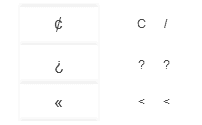
Here are other ways you can type text symbols on Linux with your keyboard.
What's hot
| ❤ | ❥ | 웃 | 유 | ♋ | ☮ | ✌ | ☏ | ☢ | ☠ | ✔ | ☑ | ♚ | ▲ | ♪ | ✈ | ❞ | ¿ |
| ♥ | ❣ | ♂ | ♀ | ☿ | Ⓐ | ✍ | ✉ | ☣ | ☤ | ✘ | ☒ | ♛ | ▼ | ♫ | ⌘ | ❝ | ¡ |
| ♡ | ღ | ツ | ☼ | ☁ | ❅ | ♒ | ✎ | © | ® | ™ | Σ | ✪ | ✯ | ☭ | ➳ | 卐 | ✞ |
| ℃ | ℉ | ° | ✿ | ϟ | ☃ | ☂ | ✄ | ¢ | € | £ | ∞ | ✫ | ★ | ½ | ☯ | ✡ | ☪ |