Keyboard symbols

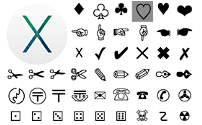
keyboard with symbols keyboard buttons with symbols

I bet you've seen tons of text symbols on Facebook, Myspace and YouTube. Special characters are really popular among social network users. Most signs aren't really used in books and references, but they look so cool! That's the main reason why people have been texting computer symbols since decades ago and that's the reason why we use it so much across the web. We want to look sharp and original. (✿◠‿◠) And did you know you can type symbols right from your keyboard? And that it's really easy? I'm going to show you how. Pick here a reference for your operating system. I wrote about non-keyboard methods of making symbols aswell (with CharMaps). Just in case. ≧◔◡◔≦

Make symbols

What's your operating system?

Windows

Alt codes

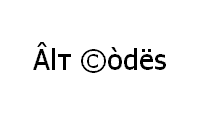
If you're running Windows on your Desktop PC, or Laptop (not Macbook, though) then you can use Alt codes. I'm not sure about Netbooks, but I'd recommend you read and try. Alt codes are keyboard combinations (shortcuts) to type additional symbols not available on standard keyboard layout. You can type practically all frequently used symbols with this shortcut series. Read my reference for more details.

Alt Codes (symbols and character computer keyboard codes)Alt Codes Use Alt codes to make text symbols and special characters from your keyboard, or laptop. Guide for PC and laptop + full list of Alt codes. Windows alt codes and keyboard symbols on Mac and Linux. Pimp your MySpace and Facebook profiles, or create some useful text symbols like umlauts, copyright, trademark, registered sign, euro, pound, etc. right from your keyboard.
Shift states

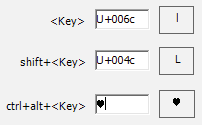
This is fastest and easiest to use. You can type any possible character, symbol, or sign from Unicode encoding. Just like you use Shift key to type capital (UPCASE) letters and special sign, you can assign more symbols to Alt and Ctrl keys.

The only problem is that it takes about 5-15 minutes to make and setup a custom layout with your desired symbols. But it's not a big problem, is it?..

Shift states for Windows symbols (Custom keyboard layouts)Shift states for Windows symbols Just like with Shift key, on Windows your computer can type any wanted text symbol when you hold Ctrl, or Alt key and press some other key. Find out how to make and setup custom keyboard layouts. It's the easiest and fastest way of typing symbols.
Character map

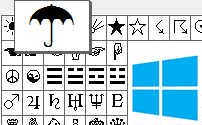
There is a standard built-in program on Windows called "Character Map", or simply "CharMap". Using it, you can enter any possible symbol installed on your computer. That's a hell lot larger range than you can get with alt codes. Read the reference below to find out how to use it.

MS Windows Character mapMS Windows Character mapType special characters and text symbols with the use of built-in CharMap program on MS Windows. ☯ 웃 ♥ 유 ♫ ♬ ✄ ✂ ✆ ✉

Mac

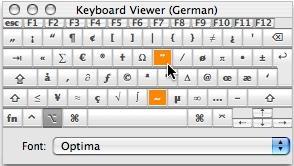
Keyboard viewer
Mac keyboard viewer window

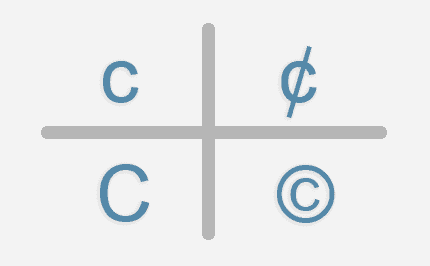
You can make more characters on Mac using [Option] key. I've got lists of shortcuts for diacritical (accent) letters and other signs like "√ ∑ π ∞ ∆ ™ © æ £ ¢". You can also use Keyboard Viewer for some help with those.

It's very easy to use and can be helpful for some people, so read my guide to Mac keyboard symbol shortcuts.

Mac keyboard symbol shortcuts (+ Keyboard Viewer)Mac keyboard symbol shortcuts Read what shortcuts you can use to type symbols and special characters from your keyboard on Apple Mac computers.
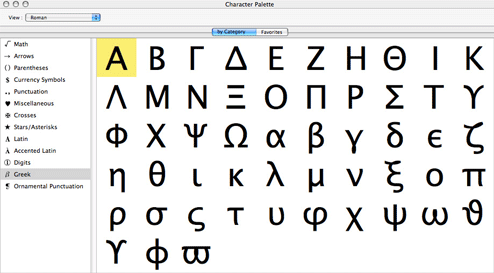
Character palette

If you want to insert any possible text symbol into your writings, such as a flat note sign ♭, or heart ♥ in the middle of a sentence, you can use the Mac OS X Character Palette. This utility that lets you select symbols and special characters visually from all the text symbols installed on your computer. It's a really amazing tool, so don't miss your chance and find out how to use it on Apple Mac OS Character Palette.

Apple Mac OS Character Palette (map of text symbols)Apple Mac OS Character Palette Find out how you can use Mac's built-in Character Palette to insert special text symbols, characters from other languages, etc. ☀ ☃ ♡ ℃ ℬℯ ℋℰℛℰ

Linux

Keyboard codes

If we're talking about non-handy Linux device (not Android mobile), there are 3 great ways to type Unicode symbols. You can code any possible Unicode character with Unicode hex codes, type lots of symbols in the most easy way with Third and fourth level choosers, and easily compose useful signs with Compose key sequences. To find out how, read references that I made.

Linux keyboard shortcuts for text symbols (and characters)Linux keyboard shortcuts for text symbols Find out about keyboard shortcuts that you can use on Linux OS to type text symbols and Unicode special characters. Somewhat like Alt codes. ♪ ✌ ☠ 웃 ♋
Character map

Character map is a program that displays all possible text symbols. You can choose some, and copy them to where you want them to be. It can even help you with the keyboard codes I just wrote about, as you can also look up Unicode symbol codes with it.

Because, Linux has different interfaces, like KDE and GNOME, there are different charmap programs. And you can also download a java CharMap that works everywhere where Java RE is installed. Read about all of them.

Linux OS Character mapsLinux OS Character mapsType special symbols and text characters with the use of character map for Linux and Unix OS. ❡✽ ➦ ❥ ✪ GNOME's Gucharmap, KDE's KCharSelect Character Selector and Java character map.

You can also:

Copy-Paste symbols

In practically any situation you can just copy-paste symbols, just like any other text. I've got tons of cool symbols on this and other websites. You might like them, so check them out!

All text symbols for Facebook ϡ (list)All text symbols for Facebook ϡ Collection of cool computer text symbols. All facebook symbols. ❤ ♥ ❥ My large hand-made list of more than a hundred cool characters. Truly amazing! ヅ ツ ッ
Foreign language LettersForeign language LettersGreek, French, Spanish, German letters and punctuation signs. List of foreign language text letters, symbols and characters and their Alt codes. Umlauts, diacritics, acute accents, breve, circumflex letters, upside-down question/exclamation and other. Small capital letters.

Put on Websites

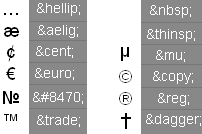
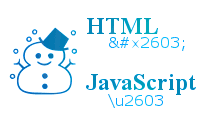
If you want to put these symbols on your Facebook, Myspace, YouTube, or some other website - just copy-paste those symbols. But if you want to put them into HTML code of your own website - you might want to use these codes. Just copy, or type in symbol's HTML entity, either hex (&#xHEX_CODE;), or decimal (&#DECIMAL_CODE;), onto your website's source code.

HTML entity codes of Special Text charactersHTML entity codes of Special Text charactersSpecial characters in HTML. A list of special text characters and their HTML entity codes. Encoded HTML chars and their symbol codes.
Enty tool - Escape special HTML / JavaScript character entitiesEnty tool - Escape special HTML / JavaScript character entitiesJavascript tool to convert your text with symbols into HTML, or Javascript character entities. You can insert the whole text and it will just escape special characters, leaving other characters alone. You can leave tags and ampersands unconverted.
Article updated on 2012-04-28 21:15:44

Comments

Question
How do you make a love heart?
Answer
Question
How do you make the n with the little squiggly line on top?
Answer
You can find ñ and it's Alt code in cool letters article. This page is dedicated to quick overviews of techniques for entering symbols. You can find the symbols in other parts of my websites. =)