
♡ ♥💕❤😘 Heart Symbol - copy love emoji
 ♡ Copy-paste heart symbol characters and cute love text emoji to your FB Facebook, Instagram, Twitter, etc. Small heart icon can lead to big consequences. Display your love and character with a cute text heart character. Text heart emoticons (ɔ◔‿◔)ɔ♥ to the one you love. Outline your love with a ♡ heart outline emoji.
Express your love and affection with a ♡ heart emoticon. On Facebook <3 and heart symbol ♥ → ☕ both turn from text into a red heart icon. You may also want to invite someone for a coffee with the coffee cup symbol ☕ → ☕.
Black heart symbol
| ❥ | 🖤 | ♥ | ❤ | ♡ |
Along with a black outline heart emoji ♡ there are several black heart emoji you can copy and paste as text, because black loves matter. ♥ Black heart symbol gets rendered as a red heart emoji on many devices, websites and messengers. 🖤 Black heart is rendered as a black heart emoji on iphone and ipad. On Android it may be different. On more modern Android versions it's usually same as on iphone, but I have Android 7 on my older Samsung and ♥ small black heart symbol renders as a black heart there, as it sort of should, not a red heart emoji like on iphones and more recent Android devices, while 🖤 black heart emoji doesn't get rendered at all - it displays as a fill-in "character not found" kind of box. ❤ is called a heavy black heart symbol, but it's actually pretty universally displayed as a red heart emoji on systems and software where any emoji text font is present. Unexpectedly, the most reliable black heart symbol if you want it to be black and work for everyone is ❥.
Black heart symbol cards
| 🂲 | 🂳 | 🂴 | 🂵 | 🂶 | 🂷 | 🂸 | 🂹 | 🂺 | 🂻 | 🂽 | 🂾 | 🂱 | 🂼 |
| Card suit symbol for outline heart emoji and others | ♥ | ♦ | ♠ | ♣ |
|---|---|---|---|---|
| ♡ | ♢ | ♤ | ♧ |
Currently none of these little heart card symbols is displayed in color as an emoji icon on any device or software. Just black on white like the usual text symbols. I also listed the symbols for the four playing card suits, including the heart symbol suit and including the white variation. The non-white variation is usually rendered in color as a text emoji icon where emoji text font is available.
How to type a text heart symbol or emoji on keyboard
Choose your platform and read a guide.
WindowsHeart on Windows Keyboard
Small black heart symbol Alt Code
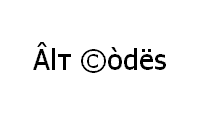
Shortcut technique that works on Desktops and most Laptops running MS Windows. You press Alt and, while holding it, type a code on Num Pad while it's turned on. Please, watch my guide if you're running a laptop. You can type many frequently used symbols with this method. Small black heart symbol included. Note that ♥ Black heart symbol gets rendered as a red emoji heart on many devices, websites and messengers.
| Alt Code | Symbol |
|---|---|
| 3 | ♥ |
Shift States
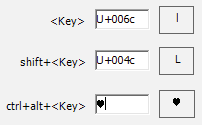
Configure your keyboard layout in Windows so that you can type all additional symbols you want as easy as any other text. Takes about 5-10 minutes to set things up, but you'll be typing like a boss. You can assign all possible heart symbols (♥ ❤ ❥ ❣ ❦ ❧) and any other text characters to your keyboard using this technique.
Character Map
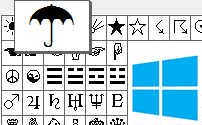
CharMap allows you to view and use all characters and symbols available in all fonts (some examples of fonts are "Arial", "Times New Roman", "Webdings") installed on your computer. You can input all heart symbols using it.
Make a heart symbol on iPhone, iPad
♡ How to make this heart on iphone and ipad
Short answer - copy-paste ♡ heart symbol from FSymbols. Sorry. This heart is a text symbol, not an emoji. So it's not in an emoji keyboard. Fastest way is to just bookmark this page and come back for a copy-paste when you want to make ♡ heart symbol on your iphone. Most heart symbol are emoji, though, including big black heart 🖤, so you'll be able to type them using a default emoji keyboard. Though, you probably won't even be able to see this really cool black heart with a tilted lower tip 🎔, unless Apple updates iOS to include an icon for that one. 🂲🂳🂴🂵🂶🂷🂸🂹🂺🂻🂽🂾🂱🂼 Heart suit cards are also not available in iphone emoji keyboard as of iOS 13.
Heart and Love emoji on iPhone and iPad
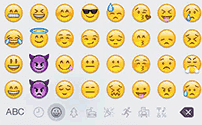
Hearts in Character Palette
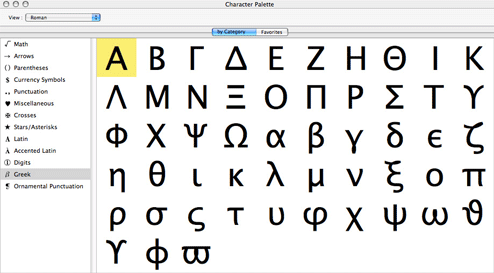
Character Palette allows you to view and use all characters and symbols, including heart emoticon, available in all fonts (some examples of fonts are "Arial", "Times New Roman", "Webdings") installed on your computer.
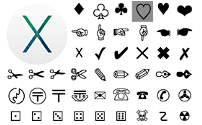
Heart symbol on Linux Keyboard

| Unicode hex code | Symbol | Unicode hex code | Symbol |
| 2665 | ♥ | 2764 | ❤ |
| 2765 | ❥ | 2763 | ❣ |
| 2766 | ❦ | 2767 | ❧ |
| 2661 | ♡ | 10e6 | ღ |
There actually are 3 different ways to type symbols on Linux with a keyboard. But only Unicode hex codes can produce heart text symbols. With this method you can type all the heart symbols and all the other possible text symbols.
Character map
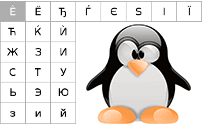
Character map allows you to view and use all characters and symbols available in all fonts (some examples of fonts are "Arial", "Times New Roman", "Webdings") installed on your computer. It can also help you lookup Unicode codes for entering symbols with keyboard.
Heart symbol on Android
Most likely, heart text symbol emoji is in your default keyboard key set. On my Galaxy SIII I can get ♡ and ♥ symbols by pressing [123] and then [1/3], and on Galaxy Note 4 with Android 5 can get ♡ via [Sym] and then [1/2]. So if you're wondering ♡ how to make this heart on Android, the answer, is that you should search for it on your Android keyboard among symbols like $. As for other heart emojis, check the link below.
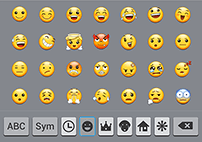
Heart text characters and Heart Emoji in HTML and JS
Following is a list of HTML entities for heart symbols and heart emojis. One of these text symbols ♥ has a simplified HTML entity.
| HTML entity | JS entity | Symbol | HTML entity | JS entity | Symbol |
|---|---|---|---|---|---|
| ♥ | \u2665 | ♥ | ❤ | \u2764 | ❤ |
| ❥ | \u2765 | ❥ | ❥ | \u2763 | ❣ |
| ❦ | \u2766 | ❦ | ❧ | \u2767 | ❧ |
| ♡ | \u2661 | ♡ | ღ | \u10e6 | ღ |
| HTML entity | Symbol | HTML entity | Symbol | HTML entity | Symbol | HTML entity | Symbol | HTML entity | Symbol |
|---|---|---|---|---|---|---|---|---|---|
| 💝 | 💝 | ❤ | ❤ | 💌 | 💌 | 💘 | 💘 | 🏩 | 🏩 |
| 💒 | 💒 | 💑 | 💑 | ❥ | ❥ | ❣ | ❣ | 💓 | 💓 |
| 💕 | 💕 | 💖 | 💖 | 💗 | 💗 | 💞 | 💞 | 💟 | 💟 |
| 💙 | 💙 | 💚 | 💚 | 💛 | 💛 | 💜 | 💜 | 🖤 | 🖤 |
Heart symbol meaning
______$$$__$_$$____$$_$__$$$
_____$__$__$$__$__$__$$__$__$
_____$__$$$_$__$$$$__$_$$$_$$
____$$$$_____$$$__$$$_____$$$$
___$__$________$__$________$__$
___$__$_________$$_________$__$
____$$__________$$__________$$$
___$__$_____$$$$__$$$$_____$__$
___$__$____$$$$$$$$$$$$____$__$
____$$$$____$$$$$$$$$$____$$$$
_____$__$____$$$$$$$$____$__$
_____$__$_____$$$$$$_____$__$
______$$$$_____$$$$_____$$$$
_______$__$_____$$_____$__$
_______$__$$$________$$$__$
________$$$__$______$__$$$
__________$__$$$__$$$__$
____$$$$$__$$$__$$__$$$_$$$$
___$_____$__$__$$__$__$_____$
___$______$__$$__$$__$______$
___$_______$__$__$__$_______$
___$________$_$$$$_$________$
____$________$____$________$
___$_________$____$_________$
_$$_$________$____$________$_$$
$__$_________$$$$$$_________$__$
$__$___$$$$$$_$__$_$$$$$$___$__$
$___$_$____$_$$__$$_$____$_$___$
_$__$$____$_$_$__$_$_$____$$__$
__$__$$$$$ $__$__$__$_$$$$$__$
___$______$___$__$___$______$
___$_____$____$__$____$_____$
____$___$_____$__$_____$___$
_____$$$______$$$$______$$
I think, everybody who ever fell in love knows that it gives a strong feeling of harmony. Of calming safety and satisfaction. You feel as if you have ultimately found the right person you can share your life with.
And this feeling is present in your very heart, because of the hormonal, neuromediatory and whatever influences your brain makes upon on it. This is the key to why heart symbol is so popular. It's symmetric aesthetically pleasing shape that looks a lot like human heart, although it's far from being exactly like it. Interestingly, because of the symbolic symmetry and division in the middle - it takes two halfs to make the whole. This gives birth to further symbolic interpretations.
Make love emoticon with a Heart symbol
Design a text emoticon below by choosing styles of eyes, hands, etc and, maybe copy paste a heart symbol from table above to it.
Comments