
¿¡⸘ Upside down question mark and exclamation point


¡Hola! ¿Qué tal?
Upside down question mark ¿ and upside down exclamation point ¡ are native to Spanish language as well as Galician and Waray languages spoken by roughly 2.5 million people each. Upside down question mark and inverted exclamation point are not used in any major language other than Spanish. Including related languages such as French and Portuguese, or even the Catalan language spoken in Barcelona and Catalonia part of Spain. You can copy and paste these characters from here. If you have to type them often, in Windows, Mac and Linux it is possible to type upside down question mark and upside down exclamation point characters ¿¡ straight from keyboard. Read how below.
| Upside down | ¿ | ¡ | ⸘ |
|---|
What does an upside down question mark or exclamation point mean?
Just like you would usually only place ?! at the end of sentence, in Spanish you also have to place the upside down question mark or exclamation point version at the beginning of a sentence. If you want to exclaim the question you can use it like this: ¡¿Qué pasa con usted?!. Or you can actually combine both in a combo called interrobang like this: ⸘Qué pasa con usted‽.
BTW, try this cool inverted text generator to flip not just a question mark and exclamation point upside down, but also any other text.
How to type upside down question mark and exclamation point?
Choose your system and find out.
WindowsFrom Keyboard
Alt Codes
Shortcut technique that works on Desktops and most Laptops running MS Windows. You press Alt and, while holding it, type a code on Num Pad while it's turned on. Please, read a guide if you're running a laptop. You can type many frequently used symbols with this method.
| Alt code | Symbol |
|---|---|
| 0191 | ¿ |
| 0161 | ¡ |
Shift States
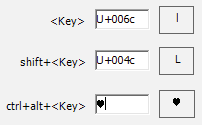
Configure your keyboard layout in Windows so that you can type all additional symbols you want as easy as any other text. Takes about 5-10 minutes to set things up, but you'll be typing like a boss. You can assign upside down symbols and any other text characters to your keyboard using this technique.
Character Map
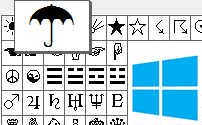
CharMap allows you to view and use all characters and symbols available in all fonts (some examples of fonts are "Arial", "Times New Roman", "Webdings") installed on your computer. You can input upside down symbols using it.
Emoji on iOS (iPhone, iPad and iPod touch)
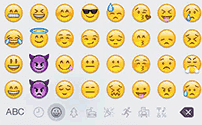
Keyboard viewer
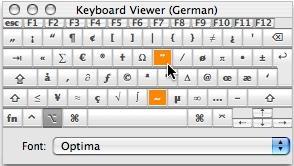
You can make frequently used technical non-fancy symbols like "√ ∑ π ∞ ∆ ™ © æ £ ¢" and åccénted letters on Mac using [Option] key. I've compiled a list of shortcuts in my article and explained how to open keyboard viewer. You can also use your Keyboard Viewer as an alternative to my list.
[Option] + [1] produces ¡ upside down exclamation sign and [Option] + [/] + [Shift] produces ¿ upside down question sign.
Character Palette
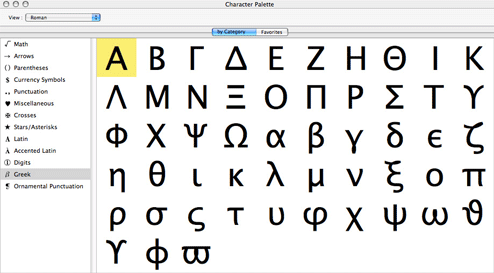
Character Palette allows you to view and use all characters and symbols, including upside down signs, available in all fonts (some examples of fonts are "Arial", "Times New Roman", "Webdings") installed on your computer.
From Keyboard
| Unicode hex code | Symbol | Compose key sequence | Symbol |
|---|---|---|---|
| 00a1 | ¡ | !! | ¡ |
| 00bf | ¿ | ?? | ¿ |
There actually are 3 different ways to type symbols on Linux with a keyboard. And all of them can produce upside down text symbols.
Character map
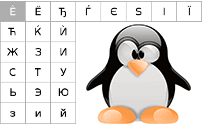
Character map allows you to view and use all characters and symbols available in all fonts (some examples of fonts are "Arial", "Times New Roman", "Webdings") installed on your computer. It can also help you lookup Unicode codes for entering symbols with keyboard.
Following is a list of HTML and JavaScript entities for upside down symbols. In Javascript you should write like a = "this \u2669 symbol" if you want to include a special symbol in a string.
| HTML entity | JS entity | Symbol |
|---|---|---|
| ¡ | \u00a1 | ¡ |
| ¿ | \u00bf | ¿ |
What upside down marks means
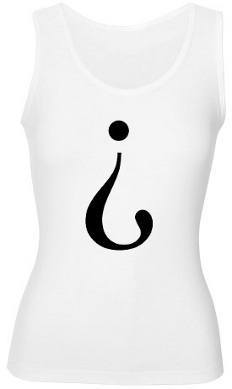 Upside down question and exclamation marks are punctuation marks of Spanish language used to begin interrogative and exclamatory sentences. They can also be combined in several ways to express the combination of a question and surprise or disbelief. The initial marks are normally mirrored at the end of the sentence or clause by the common ? and ! marks used in most other languages.
I'll give you several examples of use for clearence.
¡Y tú quién te crees que eres? ("Who do you think you are?!")
¿¡Y tú quién te crees que eres!?, ¡¿Y tú quién te crees que eres?!
¿Por qué dices eso? ("Why do you say that?")
More information on usage and stuff can be found on Inverted question mark and exclamation point article on Wikipedia. I'll proceed with the ways you can type upside down characters from keyboard.